How to Play Roll for Chiikawa
Controls, menus, rolling, equipping, and the core HUD every player should know before grinding.
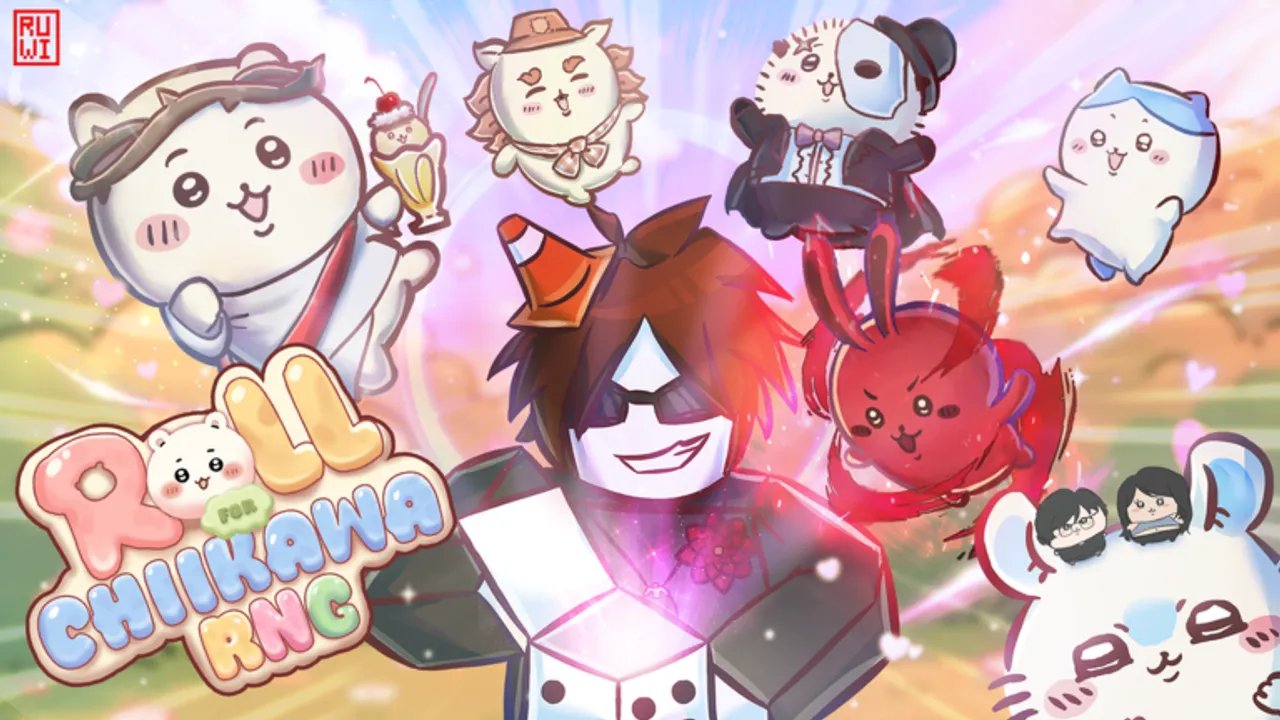
Roll for Chiikawa is a Roblox RNG simulator by Chiikawa Inc, launched June 8, 2026, now on v3.0 with 500+ Chiikawas in the roster. If you already finished onboarding, this page is the mechanics layer — how the game actually plays on PC and mobile, what each HUD button does, and how rolling, equipping, and Shop navigation fit together before you chase rebirth or event farms.
Chiikawa Inc ships no official wiki or Trello. When UI labels change in a patch, verify in-game and cross-check luv 4 everyone Discord or the Chiikawa Inc Roblox group. Start with Getting Started if you have not cleared the tutorial yet.
PC vs mobile controls
Roll for Chiikawa uses standard Roblox locomotion plus game-specific UI taps.
On PC (keyboard and mouse):
- WASD moves your avatar around the hub and base.
- Click the roll button on the main HUD to pull Chiikawas.
- Click inventory, Shop, and equip slots to manage units.
- Mouse pans the camera; scroll zooms if enabled on your device.
On mobile (touch):
- Virtual joystick moves your character.
- Tap roll, Shop, inventory, and equip icons — targets are larger than PC but easy to mis-tap during fast sessions.
- Use our Codes Checklist for one-tap copy when redeeming on phone.
Mobile players should finish the tutorial on the same device they plan to AFK on — layout familiarity reduces accidental menu closes during long sessions covered in AFK Farming.
Main HUD overview
The persistent HUD is your control center:
- Roll button — core gacha loop; pairs with equipped luck Chiikawas and account Luck stat from Luck and Roll Speed.
- Shop (left side) — upgrades, cosmetics, and Enter code for promo redemption after tutorial. Path: Shop → Enter code → Redeem. Active codes:
secret(ME),berserk(Peter Griffith),death note(Light Yagami) — full list on Codes Hub. - Inventory / equip — assign Chiikawas to your avatar (luck while rolling) and base platforms (income while AFK). Wrong-slot equips are the most common beginner mistake.
- Stats panels — cash, luck, roll speed, rebirth count; watch cash before buying expansions in Expand Base.
- Leaderboard — includes King of Chiikawas rankings for collection prestige; competitive but separate from income optimization in How to Earn Money.
Tutorial: required before codes
The tutorial teaches roll, equip, and Shop navigation. Code redemption stays locked until you finish. Skipping or disconnecting mid-tutorial causes the classic “codes not working” panic — see codes not working before assuming expiry.
After completion you should:
- Roll freely without prompts blocking menus.
- Open Shop on the left and find Enter code.
- Equip at least one Chiikawa to avatar and one to base if slots exist.
If anything still feels locked, rejoin a fresh server once before filing a bug report on Discord.
Rolling and equipping in practice
Each roll consumes time and uses your current luck table. Workflow for a typical session:
- Equip highest luck unit on avatar.
- Roll until cash low or a major upgrade appears.
- Compare new pulls to current equips; swap if stats improve.
- Before AFK, move income units to all base tiles.
Do not roll for hours with an empty luck slot — you are effectively playing at default odds. Code Secrets from how to redeem should be equipped before serious rolling.
Shop, upgrades, and Premium User Rewards
Shop splits into code entry, stat upgrades, and optional Robux purchases. Free progression path:
- Redeem three active codes first.
- Buy Roll Speed early for more rolls per hour.
- Invest Luck upgrades when cash flow from AFK farming supports it.
- Expand base when income plateaus — see Expand Base.
Premium User Rewards activated in v3.0 give Roblox Premium subscribers extra perks (bonus multipliers or claimable rewards depending on current patch). Premium is optional; free players reach endgame using codes, AFK income, and rebirth. Check in-game Premium UI after each update — exact rewards shift without a public Trello.
Leaderboard and social play
King of Chiikawas leaderboard tracks collection milestones visible to other players in-session. High rank requires breadth across the 500+ roster, event exclusives, and Secrets — not just income. Use Events Guide during the active Videogames Event (+10 videogame-inspired Chiikawas) to chase limited units; the Anime Event already ended (historically extended to July 29, 2026).
Leaderboard chasing and economy grinding diverge. Many top income players are mid-board on King of Chiikawas until they finish collection goals — that is normal.
How play loops connect
| Phase | What you do | Next guide |
|---|---|---|
| Hour 0 | Tutorial + codes | Getting Started |
| Day 1 | Roll + first upgrades | How to Earn Money |
| Mid | Base slots + AFK | Expand Base |
| Late | Rebirth + events | How to Rebirth |
Common HUD mistakes
- Searching for codes on the right side of Shop — Enter code is on the left.
- Rolling without luck equip while income units sit on avatar.
- Ignoring Premium claim buttons after v3.0 if you have Roblox Premium.
- Chasing leaderboard rank before redeeming free Secrets.
- Playing through an event without reading Version History for patch context.
Staying current after v3.0
Version 3.0 expanded the roster past 500 Chiikawas and launched the Videogames Event alongside Premium User Rewards. When Chiikawa Inc patches UI text or adds buttons, this page updates after community verification — same process as Updates Hub. Bookmark Codes Hub for instant power spikes that do not require learning new controls.
You know how to play when rolling, equipping, Shop redemption, and base layout feel automatic. Then shift time toward money, expansion, and rebirth — the guides linked above carry the optimization detail this controls page intentionally leaves to specialists.
Frequently Asked Questions
Quick answers to the most common questions.
Where is the code button in Roll for Chiikawa?
Open Shop on the left side of the HUD, tap Enter code, then Redeem. You must finish the tutorial first. See the how-to-redeem guide for step-by-step screenshots.
Does Roll for Chiikawa play differently on mobile?
Mechanics are identical. Mobile uses touch taps instead of mouse clicks. Use the Codes Checklist tool for easier mobile copy-paste when redeeming secret, berserk, and death note.
What is King of Chiikawas on the leaderboard?
It ranks players by collection progress across the Chiikawa roster. It reflects breadth and rare pulls, not the same metrics as income or rebirth leaderboards.
What are Premium User Rewards in v3.0?
Roblox Premium subscribers can claim extra in-game rewards after the v3.0 update. Exact bonuses may change with patches — check the in-game Premium panel after login.
Can I play before finishing the tutorial?
You can roll in tutorial, but code redemption and some Shop features stay locked until onboarding completes. Finish the tutorial to redeem free Secret Chiikawas from the Codes hub.